datakick
-
Posts
3,164 -
Joined
-
Last visited
-
Days Won
504
Content Type
Profiles
Forums
Gallery
Downloads
Articles
Store
Blogs
Everything posted by datakick
-
This is unfortunate backwards compatibility issue, but there's nothing we can do about it. Your module directly depends on old version of MobileDetect library (<3.74) -- that version is not compatible with PHP7.4 or higher. Ask the module author to use method from Context class instead. Lines 165...171 should look like this: $layout = Context::getContext()->isMobile() ? 'mobile' : 'desktop';
-
As @wakabayashi wrote, it's somewhat simple to reduce multistore to a singlestore. You need to make sure that all db records are assigned with target shop first. Check all *_shop tables, and *_lang tables and that contains id_shop column, are associated. Once all records are associated, delete the source shop. There shouldn't be an issue. List of related tables: SELECT table_name FROM information_schema.tables t WHERE table_schema = database() AND ( (table_name like '%\_shop') OR ( table_name like '%\_lang' AND EXISTS (SELECT 1 FROM information_schema.`COLUMNS` c where c.TABLE_NAME = t.`TABLE_NAME` and c.`COLUMN_NAME` = 'id_shop') ) ); If you have two stores in separate installations (not multistore), then it would be much more complicated. You would have to probably use data export and import.
-
Thanks for letting me know. This module checks only existence of .jpg source file. With the image rewrite, we can now upload and store source files in different formats as well (webp, avif, png,...) I will have to update the module to check for those as well
-
That still doesn't rule out infrastructure/misconfiguration issue. For example, you can have nginx reverse proxy with low settings for buffer memory. If your php server returns bigger http headers that can be stored, nginx will drop the response and return generic/standard error message similar to yours. One of your thirty bees installation can return much smaller headers, for example because it contains less cookies, or cookie content is smaller. I think that you should really investigate the root cause of this problem. Because it's most likely not a problem with application. You can reinstall your tb from scratch, restore database, and then encounter the same problem once again. But if really want to migrate -- it's easy. Backup your database. Install thirty bees. Edit settings.inc.php and copy all encryption keys there. Restore your database. Then go to core updater, enable debug mode, and in developers tools run database migration and initialization callbacks. That should do it.
-
Well, something is returning 403 Forbidden response. I don't think that it's thirty bees / php application. Thirty bees wasn't most likely even invoked here. I'm 99% sure this is issue with your infrastructure nginx configuration apache config mod_security config firewall settings your server antivirus your computer antivirus your computer firewall your browser extensions some "security" thirty bees / prestashop module (not likely, but could be) ...
-
no, it's standard https
-
The solution is to demand that google fix this bug on their side. If your robots.txt instructs google to ignore some url, then google console should not display warning that the url is not crawlable.
-
Please try to reproduce on bleeding edge - there were few bugs related to product duplication fixed already. If you problem is still reproducible on bleeding edge, file a new github issue.
-
It's hard to compare, as it's very subjective. You have to tweak the Image quality settings. For each algorithm it is slightly different. avif will have better image sizes as you increase compression = lower image quality settings [ quality 50 ] 5950 - 1-Niara_thickbox.avif 8342 - 1-Niara_thickbox.webp [ quality 70 ] 10591 - 1-Niara_thickbox.avif 10196 - 1-Niara_thickbox.webp [ quality 90] 26193 - 1-Niara_thickbox.avif 19052 - 1-Niara_thickbox.webp The nice think about avif is that it generates much less blurry images even at low quality. At q=50, avif is much nicer than webp at the same quality. It is probably at the level of webp at q=70. If you want to have high-quality images, you should probably keep using webp and q=90. If you want to have fast shop with good-enough images, you might want to opt for avif with lower q
-
You can see what events module listens to here: https://github.com/thirtybees/stripe/blob/e6068d34079e6ec38c90c3c23d2392646193120b/controllers/front/hook.php#L133-L145 However, I suggest you just enabled all events, in case module need them in the future.
-
Community themes, and some third party themes, use polyfill.io service to increase browser compatibility. Unfortunately, that service was bought by some chinese scums, and is now used to distribute malware (sonetimes) You have to 1) investigate what js files are fetched from that service 2) download the JavaScript file and verify that it does not include malware 3) upload it to your own server 4) modify theme to use your own copy of JavaScript For community theme, it is this line: https://github.com/thirtybees/niara/blob/341cf27338837191882bbe859c01713c6b1bd9c7/header.tpl#L63 This one is not needed anymore, so the easiest solution us to simply delete this line. If your theme/modules include other polyfills, you should follow the steps above
-
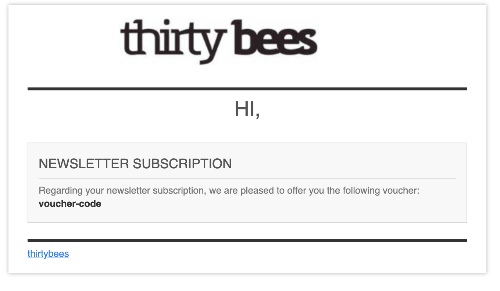
Works properly for me: When this email is sent depends on your verificaiton settings. If you opted for email verification, it will be send only after your customer verifies their email. Also, the voucher is send only first time you register the email address. Subsequent attempts to register the same email address will not trigger new email/voucher, obviously. Check your email settings. Check you email logs. Check Advanced Paramters > Logs to see if there are some warnings related to email templates.

-
Hi, I've just tested this and it works as expected. The cart rule was created for specific customer: There is no email sent by default when cart rule is created. But you can do that by adding another rule 'After conseqs rule'
-
Invoice lists carrier costs wrongly. PayPal sees them correctly.
datakick replied to Pedalman's question in Technical help
It's possible your theme contains overrides for invoice smarty templates. Check if there are any invoice*tpl files in /themes/<your theme>/pdf/ directory -
Check javascript errors in your browser console
-
It didn't work because your changes were overwritten by core. For example, in constructor, you assigned some data to fields_list variable, and THEN you called paren constuctor. Parent constructor assign it's own data to fields_list variable public function __construct() { $this->fields_list = [ // you changes to fields_list ]; parent::__construct(); // this call overwrites the fields_list } You should have called the constructor first, and then merge your changes: public function __construct() { parent::__construct(); $this->fields_list = array_merge($this->fields_list, [ // you changes to fields_list ]); }
-
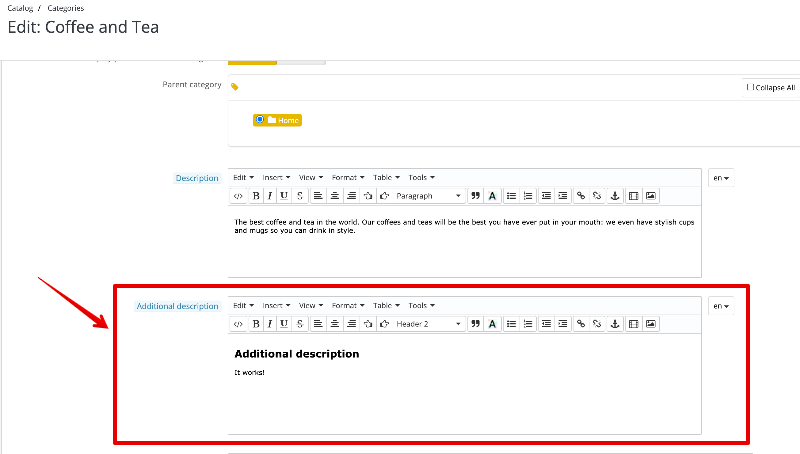
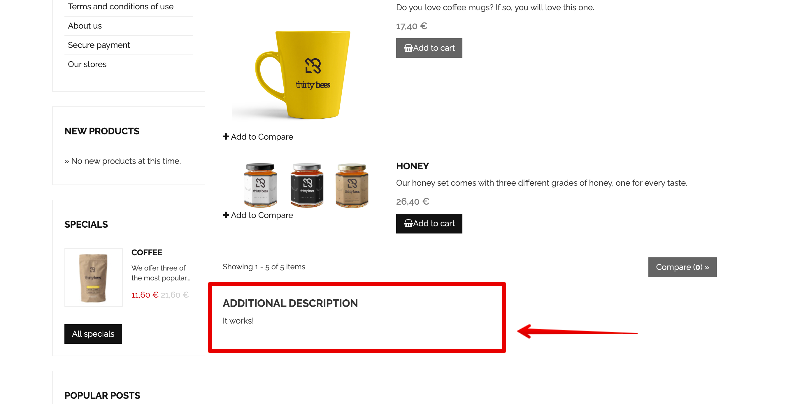
Could you please share your override, so I can test? It should be still possible to override object model metadata It's a simple change, new html field in back office: You will probably have to modify your theme to display this new field. Simply edit category.tpl file and include this new field at the place you want. You can take an inspiration from niara support commit: https://github.com/thirtybees/niara/commit/beedd63032237293b2be1d5fe1463144d2f82e12
-
that will be php8 issue, most likely this fix:https://github.com/thirtybees/thirtybees/commit/5de5f96760f01e5addbb5c045608c7dc5e863799 Update to 1.6
-
Translations from payment modules not showing up in Chex frontend checkout
datakick replied to 30knees's question in Technical help
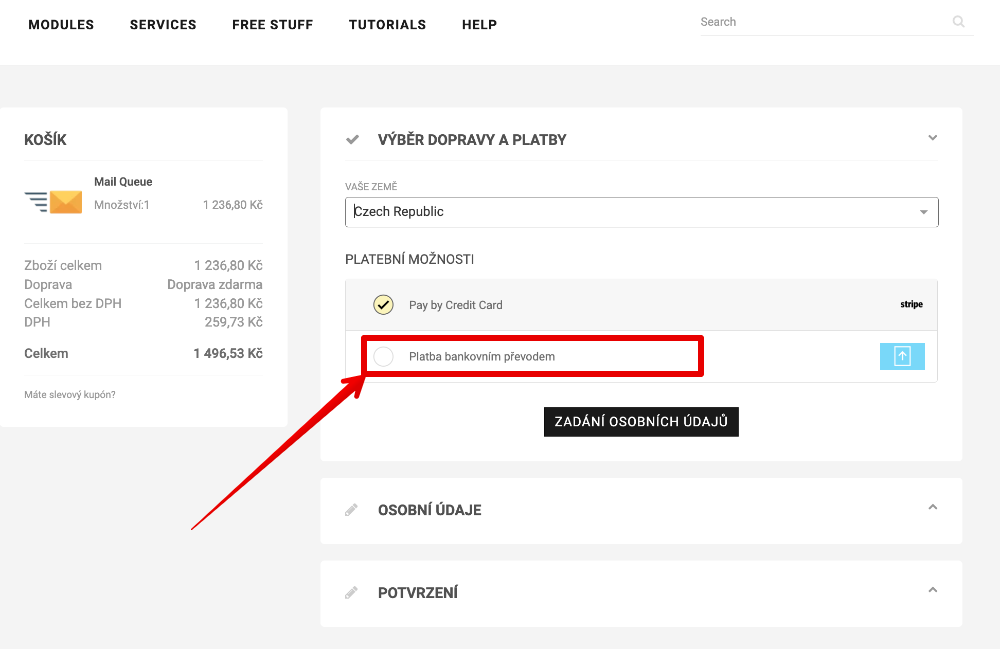
Ha, this works for bankwire, but not for stripe module. Probably bug, will look into that. Edit: bug in stripe module fixed by commit https://github.com/thirtybees/stripe/commit/a4dfcf933e5acab79a7ace3a416f65a898998bae. Will be part of the next module release.- 8 replies
-
- 2
-

-
- translations
- chex
- (and 1 more)
-
Translations from payment modules not showing up in Chex frontend checkout
datakick replied to 30knees's question in Technical help
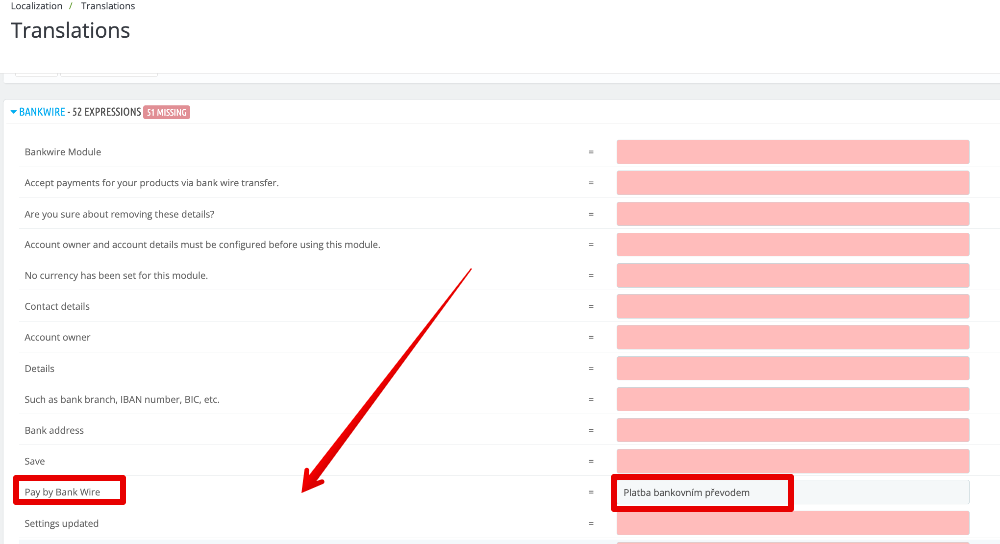
I'm not sure what is it exactly that you have problem with. If it's a translation of payment method, than that works properly. Go to Localization > Translations > Installed Modules Translations, search for payment module (for example bankwire), and translate the payment method text: Save and that's all Or is it something else that is not working?
-
Maybe also quantity-based cart rule that would give discount? Not exactly the same, but maybe good enough
-
Indeed, this was a regression bug in the stripe v1.9.1. It's fixed, please update to 1.9.2 Thanks for reporting this, it's very serious issue. Next time, please create github issue to make sure it will be notices. I can very easily miss forum posts Note that the problem was related to Embedded Card Form payment method only. Other payment methods worked properly.
-
You could look into channable - https://www.channable.com/ It has prestashop module connector that works with thirty bees (with some minor php notices), that lets you import your product data. Once you have data in channable, you can create multiple integrations and send your data to other platforms (amazon, google feed). It should support PPC ads as well, but I've never tested it.
-
with P24 it's a timing issue. When stripe redirects customer back to your site, the payment is not yet processed, and payment intent data fetched from stripe api can have status requires_action with redirect url that matches the original payment authorization url (the url we have already redirected customer to, and they paid) You can send them relevant log entries from file in /log/stripe_<date>.log