datakick
-
Posts
3,166 -
Joined
-
Last visited
-
Days Won
507
Content Type
Profiles
Forums
Gallery
Downloads
Articles
Store
Blogs
Everything posted by datakick
-
parsererror at order overview if trying to change the order
datakick replied to vsn's question in Technical help
This type of errors occurs when ajax response contains something else then valid json. It's usually caused by error reporting emitting warnings/notices into response. I bet you have debug mode enabled. If so, then disable it, and try again. Alternatively you can forward your store to bleeding edge using core updater. -
I've just tested it on latest 1.0.x and it's not possible to create customer with such lastname. It is possible in 1.0.8. So my guess is that you didn't apply the fix correctly.
-
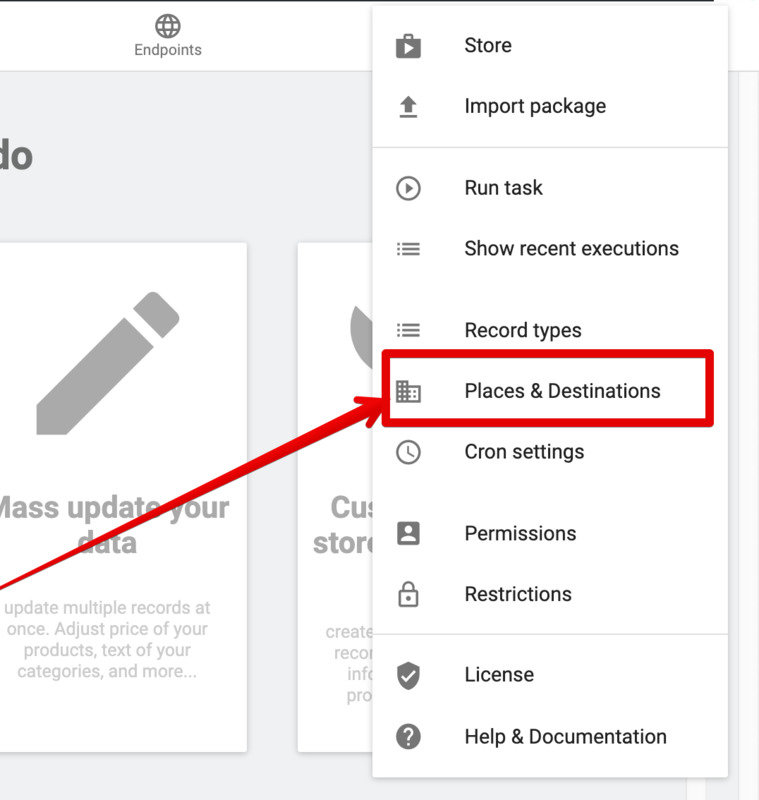
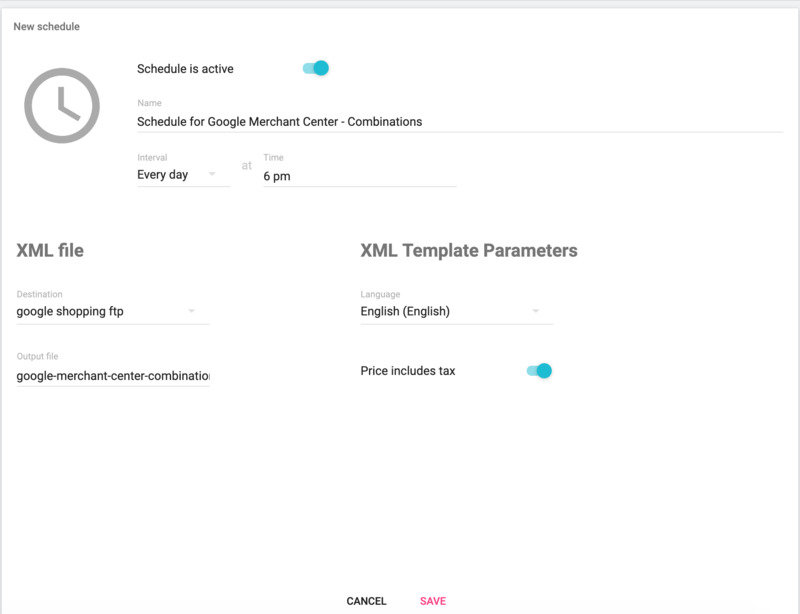
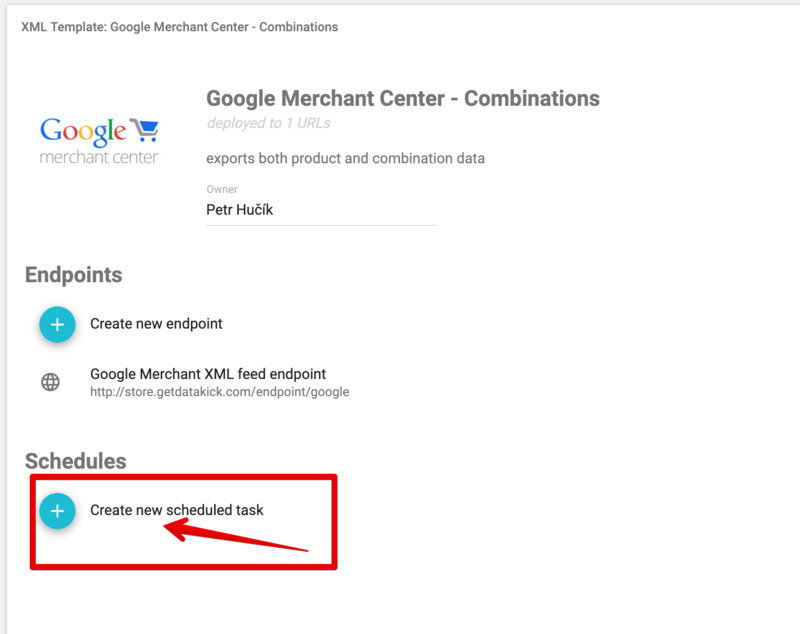
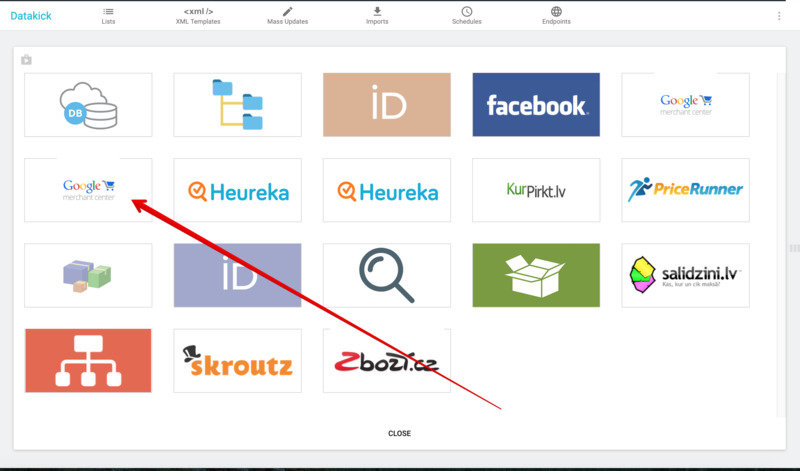
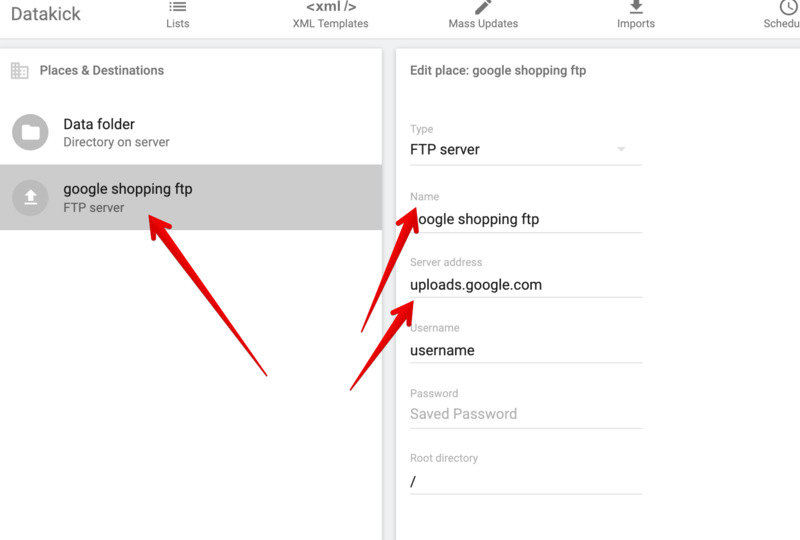
1) create destination place - ftp 2) install predefined XML template for GMC 3) create schedule to generate xml from this template, and use ftp place as a destination

-
Create a simple module that will hook into `displayHeader`. The hook can conditionally emit any html code based on your condition. You can use $this->context->controller to determine controller that's currently handling page render, $this->context->shop to see what shop in multistore is used, $this->context->language to base your decision on selected language,...
-
@AndyC my module is indeed quite hard to learn. It's because it's not a one-off solution, but it's more of a framework. Once you learn it, you will be able to do almost anything regarding data export/import. I understand that people love one-off, simple solutions. Unfortunately in many cases that's not that easy. Many merchants have specific needs that these simple solutions can't cover. For example, I have heard requests like: - I would like to send only products from some category to facebook feed - I want to send different image, because the main product image does not look good in google feed - How to add google categories to my products? - I don't want feed to contain products that are not on stock (even though they can be pre-ordered) - I have 10,000 products and 500,000 combinations and my server can't generate these.... - I want to have up-to-date feed... With my module you can do all of this. And much more. But it requires some learning time, unfortunately.
-
CSV import functionality was put on hold for the time being. Unfortunately it's too much effort for (>2week of work) for little reward, as most merchants are quite happy with build-in csv import.
-
Right. FPC is fixed in upcoming version, but if you are on 1.0.8 it's not recommended to use. Correct. SSC is used only by FPC What I meant is that the SSC api is public so any thirtybees/prestashop module can use it to cache its data. I don't know about any module that do this, though. Modules usually uses smarty cache, but that's different technology.
-
@cdwebman Are you planning to use thirtybees Full Page Cache? If not, then it really isn't important what Server Side Cache implementation you choose. It's because FPC is the only functionality in the core that is actually utilising SSC. Of course, there may be some third party modules that uses SSC as well, but I would bet you don't have such module installed.
-
When visitors first come to your store, thirtybees tries to detect country and currency. It uses browser's language to do so, but this method is not very precise. Alternatively, you can enable build-in geoip functionality and use maxmind geoip database to detect country based on IP address. Unfortunately, thirtybees uses legacy (no longer supported) version of this database, so it has become outdated. If you are using Cloudflare in front of your server (as I do), you might know that cloudflare do GeoIP translation and sends this information to your thirtybees server in custom HTTP header. I don't know what database they are using, but I would it's some very expensive and up to date solution. It would be insane not to utilize this information. So I've developed a very simple module that uses this http header to set up customer's country and currency. It does so only on first pageview, when cookie does not exists yet If you are using cloudflare as well, you can download and use this module for free: Cloudflare GeoIP
-
Can't upload images. File manager hanging
datakick replied to x97wehner's question in Technical help
Any errors in javascript console? -
I'm running my production site on $5 digital ocean droplet and the speed is reasonable. But of course, it's without the fancy stuff like cpanel
-
This module should allow you to log in into the *last* cart. It goes through the same routine as manual log in, so the pending cart is recovered. I'm not sure what is the benefit of logging into old cart? Do you have some use case? Anyway, such functionality could be easily added, so I have created a enhancement request for that. Maybe someday I'll have time to implement it 🙂
-
What other things? Did you file issue or reported it here on forum??? You know that bleeding edge is going to be released soon, so this is really a best time to report bugs
-
Why not use bleeding edge, as this issue (and then some) is already fixed there?
-
parser error : Start tag expected, '<' not found Looks like you are trying to import invalid XML file
-
This javascript file is NOT loaded during initial page load. It's loaded asynchronously later when the page is already displayed. So there's no need to worry about page load/response time in this context, as it does not affect it at all. Of course, if you want to serve this file from external CDN, you can. It will, however, make your module updates much more troublesome. To do so, 1) upload the js file to external server 2) insert new row into PREFIX_configuration table, name='REVWS_APP_URL' value='<url>'. You will need to use sql for this, there is no built-in support for that in module. It should look like this: +------------------+---------------+---------+---------------+------------------------------------+---------------------+---------------------+ | id_configuration | id_shop_group | id_shop | name | value | date_add | date_upd | +------------------+---------------+---------+---------------+------------------------------------+---------------------+---------------------+ | 353 | NULL | NULL | REVWS_APP_URL | http://localhost:8080/front_app.js | 2018-07-14 13:17:35 | 2018-07-14 13:17:35 | +------------------+---------------+---------+---------------+------------------------------------+---------------------+---------------------+ And that's it.
-
You can safely ignore this, as it's just warning, not an actual error. And it's already fixed in the upcoming version: https://github.com/thirtybees/thirtybees/commit/34ec660385d1c643fde2f97f4c0fdfb9585a0795
-
that wouldn't work, as hash part of URL is not send to the server at all. And that's also the reason why it's nonsense to modify it for SEO benefits.
-
Crowdfunding has definitely its challenges - first of all, you need to raise quite a lot of money for this to be lucrative for developers. Say, project like this could take 3-4 weeks, with EUR40/hour rate we are talking about about 4800-6400 - then there is the matter of specification. Who will be responsible for that? You would need somebody with product manager skills to outline the development project correctly. Everyone can interpret *module to edit orders* differently - next, you need to find a developer that can actually deliver quality product *according to specification*. Nobody wants to pay for piece of garbage - then we have maintenance. There is no real incentive for the original developer to keep the product in shape, and release updates regularly. And it's needed - look at elasticsearch module, that one definitely needs some love but there is nobody to work on in now. Paid modules, on the other hands, solves all these problems.
-
PrestaCenter XML Export Free Module v1.2.5.1" Stopped working
datakick replied to Binder's question in Module help
I've tested the module, and you are right. It indeed displays this error message in tb 1.0.8 Fortunately this bug has been already fixed, as it does not happen in 1.0.x / bleeding edge. So my recommendation for you is to use coreupdater module and update your store to bleeding edge... or wait until next version is officially released -
PrestaCenter XML Export Free Module v1.2.5.1" Stopped working
datakick replied to Binder's question in Module help
This is not problem with thirtybees, this is problem inside the module itself. You will get the same php notice when you run it inside tb or ps. Note that this is just a notice. You can choose not to notice it 🙂 -
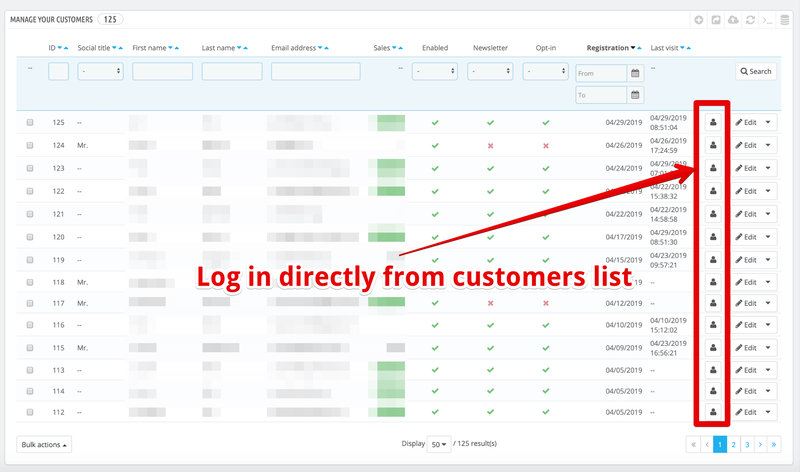
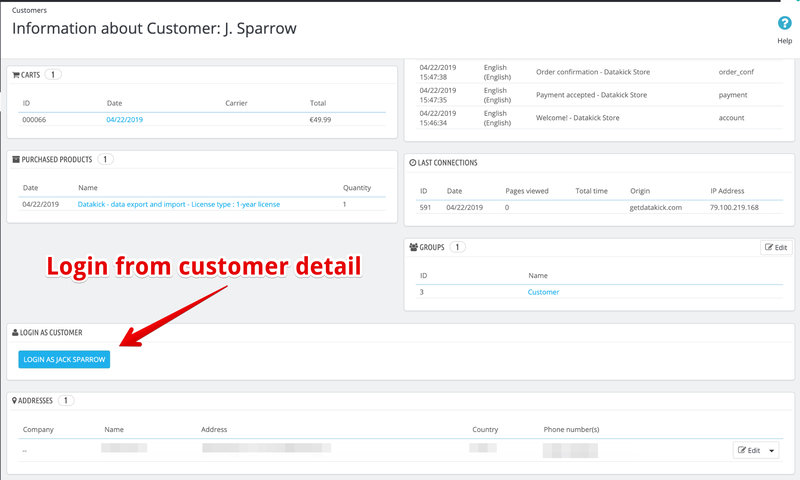
Hi everyone, I needed a way to log into my frontend as one of customers. Because I couldn't find any module that would work correctly on thirtybees, I've build my own. I have decided to release it as an open source / free module. So, if anyone need this functionality, you can download it on my store. url: https://store.getdatakick.com/en/modules/login-as-customer github: https://github.com/getdatakick/loginas
- 11 replies
-
- 10
-

-

-
One reason I can think of is customer delivery/invoice address. This is important information in order to display correct price (when you have specific prices for different countries, or cart rules that applies to address,...). So, when customer logs in, system creates cart (if no cart exists yet) and assign delivery/invoice address. Customer can now see different prices than regular visitor.
-
This is problem of this particular module, not thirtybees issue. Module saved some info somewhere, it has total autonomy in this area. Tb / prestashop has no way to intervene. So, you need to look into module source code, or contact module developer. Nobody can help you without access to the module code.
-
Thank you, that will help me tremendously